Building a Bilingual Arabic–English Website: A Practical Guide
A practical guide to bilingual websites: URL structure, text direction, mirrored layouts, fonts for both scripts, numerals, forms, localization and the language switcher.
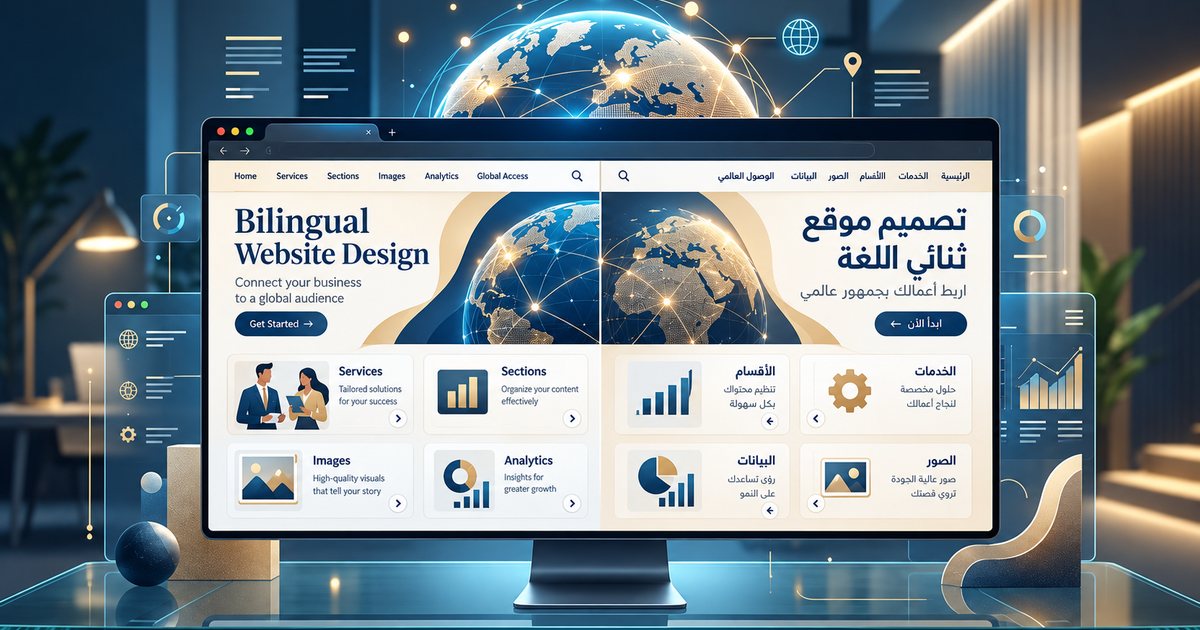
A bilingual website is not an English site translated into Arabic and flipped to the right. It is two complete experiences sharing one structure. Building a bilingual website in Arabic and English properly means a separate URL for each language, correct text direction, a layout that mirrors without breaking, fonts that suit both scripts, forms that understand Arabic numerals, and content that is localized rather than translated word for word. These decisions are far easier and cheaper to make at the start than to retrofit after launch, so they belong in the planning stage of building your business website.
A separate URL for each language
The first rule is that each language gets its own URL that can be shared and indexed. Switching language with a cookie or JavaScript while the address stays the same means search engines may only ever see one language, and a link a customer sends to a friend may open in the wrong one.
| Structure | Example | When it fits | Notes |
|---|---|---|---|
| Subfolders | /ar/ and /en/ | Most company websites | Easiest to manage and analyze; keeps the domain's strength in one place |
| Subdomains | ar.example.com | When each language is run on a different system or by a different team | More setup and tracking work |
| Separate domains | A country domain per market | When business, prices and content genuinely differ by country | Double the cost, maintenance and marketing effort |
| URL parameter | ?lang=ar | Not recommended | Harder for both search engines and users |
For most businesses in the Gulf and Egypt, subfolders are the practical choice.
Don't redirect visitors automatically
Redirecting by location or browser language looks clever but gets it wrong often. An English-speaking resident in Dubai is pushed to Arabic; an Arabic speaker whose phone is set to English is pushed to English. Worse, crawlers may never see one of the two versions. A better approach is to suggest the language with a small banner, such as "This page is also available in Arabic", then let the visitor choose and remember the choice.
URL slugs: Arabic or Latin characters?
An Arabic slug reads well in the address bar for Arabic speakers, but when copied into many apps it turns into a long string of encoded characters that looks suspicious in a message. Latin slugs are shorter to share. Search engines handle both, so pick one and use it consistently.
Language and direction: lang and dir
On Arabic pages, set lang="ar" and dir="rtl" on the html element; on English pages, lang="en" and dir="ltr". The lang attribute tells screen readers which voice to use, browsers which text rules to apply, and search engines which language the page is in. The dir attribute flips the direction of text and layout.
The browser's bidirectional algorithm handles most English words inside Arabic sentences, but problems appear at the boundaries between directions, especially with numbers and punctuation. The classic example is an international phone number inside Arabic text, whose digit groups can appear in reversed order. The fix is to isolate such fragments with an explicit direction, and to use the bdi element for text of unknown direction coming from your database, such as user names or product names:
<html lang="ar" dir="rtl">
<p>... <span dir="ltr">+971 50 000 0000</span></p>
<p>... <bdi>Sarah K.</bdi> ...</p>
<p>... <span lang="en">Dark Mode</span> ...</p>
Marking English words with lang="en" lets a screen reader switch to an English voice instead of trying to read them as Arabic, which is part of web accessibility.
Mirroring the layout with logical CSS properties
In right-to-left mode many elements mirror: the order of the main menu, text alignment, sidebars, breadcrumbs, next and previous arrows, progress steps and the swipe direction of carousels. Some should not: logos, media playback controls in most cases, phone numbers, code, and icons that don't imply direction or movement.
The modern way to serve both directions from one stylesheet is logical properties. Instead of left and right, you write start and end, and the browser resolves them from the page direction:
/* instead of margin-left and padding-right */
.card {
  margin-inline-start: 1rem;
  padding-inline-end: 1.5rem;
  border-inline-start: 4px solid #0a7c66;
  text-align: start;
}
/* flip only directional icons */
[dir="rtl"] .icon-arrow { transform: scaleX(-1); }
Flexbox and Grid follow the page direction automatically, but some properties don't flip on their own and need checking: offsets in transforms and animations (translateX), absolute positioning with left and right, background positions and shadow offsets. Don't fake RTL by visually reversing the order of elements, because reading order and keyboard navigation still follow the source order and no longer match what users see. Since the layout has to work on every screen size in both directions, test it against the principles of responsive web design in Arabic and English.
Fonts for both scripts
- Choose an Arabic typeface designed for screens and available in several weights, at least regular and bold. Some families were designed in Arabic and Latin together, such as IBM Plex Sans Arabic with IBM Plex Sans, or Noto Sans Arabic with Noto Sans, which makes the two languages easier to harmonize.
- In many typefaces Arabic looks visually smaller than Latin at the same font size and needs more line height for ascenders, descenders and diacritics. Set size and line height per language using the lang selector in CSS.
- Never add letter spacing to Arabic, because it breaks the joins between letters, and avoid fake italics for emphasis; use weight or color instead.
- Arabic font files are usually larger because of the many letter forms. Load only the weights you use, serve WOFF2, subset where possible, and watch the effect on website speed.
For choosing and setting Arabic type in more depth, see typography and Arabic fonts in design.
Numerals, dates and currencies
The region uses two sets of digits: Western digits (0123) and Eastern Arabic digits, and both are common in the Gulf and Egypt. Pick what suits your audience and brand, and apply it consistently across the site, invoices, app and messages. Whatever you display, store numbers, prices and dates in a neutral format in the database and format them at display time with locale-aware functions, such as the Intl API in JavaScript. Set the numbering system explicitly, because defaults vary by locale and browser:
const price = 1250.5;
// Western digits in an Arabic interface
new Intl.NumberFormat("ar-EG", { style: "currency", currency: "EGP", numberingSystem: "latn" }).format(price);
// The Kuwaiti dinar is shown with three decimal places
new Intl.NumberFormat("ar-KW", { style: "currency", currency: "KWD", numberingSystem: "latn" }).format(price);- Currencies: decimal places differ. The dirham, riyal and Egyptian pound use two; the Kuwaiti dinar uses three. Use formatting functions instead of gluing a symbol to a number by hand.
- Dates: if you need Hijri dates, use a defined calendar such as Umm al-Qura through the formatting functions rather than calculating by hand. Gregorian month names also differ across the Arab world (Egypt and the Gulf use different names from the Levant), so use the ones your audience knows.
- Formats and conventions: date order, the first day of the week and official weekends vary by country, so don't assume them.
Forms and input direction
Forms are where bilingual sites collect the most small, irritating bugs:
- Fields whose content is always Latin, such as email, URLs, phone numbers, passwords and card numbers, should be set to ltr even on Arabic pages.
- Name, address and message fields may be typed in either language, so use dir="auto" to let the direction follow the first letter typed.
- Accept Eastern Arabic digits and convert them. A user typing on an Arabic keyboard may enter a phone number or verification code in Eastern Arabic digits. If the system doesn't convert them to Western digits before validation, it rejects valid numbers and frustrates the customer.
- Use the right input types (type="tel", type="email", inputmode="numeric") so phones show the correct keyboard.
- Don't restrict name fields to Latin letters, and allow long names. A single full-name field often suits multi-part Arabic names better than separate first and last name fields.
- Show error messages in the page language, next to the relevant field, with directional icons mirrored.
- Normalize Arabic search: make internal search treat the different forms of alef, taa marbuta and haa, and alef maqsura and yaa as equivalent, and ignore diacritics and elongation, so that a search typed without hamza still finds the name written with it.
Translation or localization?
Translation carries meaning from one language to another. Localization adapts the whole experience to a specific audience: currency, examples, images, cultural references, payment methods such as cash on delivery and local wallets, contact channels such as a WhatsApp button, business hours, legal pages and tone of voice.
- Use machine translation as a draft only, then have a native speaker who knows your field review it.
- Keep a terminology glossary so each term has one approved translation across the site.
- People search differently in Arabic, sometimes with English terms or Arabic written in Latin letters, so research keywords separately for each language, as explained in writing for search engines.
- Text length differs between the languages, so design flexible buttons and cards and test with real content, not placeholder text.
- Images with embedded text need two versions, and images with a direction, such as a person looking toward the copy or an arrow pointing at it, may need an alternative for the Arabic version.
The language switcher: small details that matter
- Write each language name in its own script: the Arabic option appears in Arabic letters on English pages, and "English" appears in Latin letters on Arabic pages.
- Avoid flags. A flag stands for a country; Arabic is spoken in many countries, and so is English.
- Keep the switcher in the same place on every page, and make it reachable on mobile without opening several menus.
- Link to the equivalent of the current page, not the home page. If a page has no equivalent, send visitors to the closest relevant section instead of an error page.
- Use a real link carrying the other page's URL so crawlers can discover it.
hreflang and SEO for both languages
Every page needs hreflang annotations listing its Arabic and English versions plus an x-default, using full URLs and in both directions. Each language version gets a canonical pointing to itself, not to the other version, because the two are not duplicate content. Each language also needs its own page title, meta description and image alt text, so never leave an English description on an Arabic page. Include both versions in the XML sitemap. The technical details are in technical SEO basics.
Pre-launch checklist
- Each language has its own URL, with no automatic redirects by location or browser language.
- lang and dir are correct on every page, and numbers and English text inside Arabic are direction-isolated where needed.
- The layout uses logical properties, and only directional icons are mirrored.
- Fonts load only the weights needed and read well in both languages on a phone.
- Fields accept and convert Eastern Arabic digits, and email and phone fields are set to ltr.
- Content is localized and reviewed by a native speaker, and images with text have two versions.
- The language switcher opens the equivalent page and names each language in its own script.
- hreflang is reciprocal with an x-default, each language's canonical points to itself, and the sitemap includes both languages.
- The whole site has been tested in Arabic on a real phone, not only on a desktop screen.