The Motion Graphics Production Process and What Drives Cost
From brief to delivery: what happens at each stage of a motion graphics project, what gets approved, and which factors decide time and cost.
The motion graphics production process runs in sequence, and each stage ends with a specific approval so later stages do not have to be redone: words before pictures, pictures before motion, motion before delivery. Understanding that sequence helps you estimate the schedule, give feedback at the right moment, and see what raises or lowers the cost without needing any price list. This guide complements the complete guide to animation and motion graphics.
The core rule: the later the change, the higher the cost
Changing a word in the script takes minutes. The same change after the voice-over is recorded and the scene is animated means re-recording, re-timing, re-animating and re-rendering. That is why the stages are designed so the client approves one clear thing at each step before moving on.
| Stage | What gets approved | Cost of changing it later |
|---|---|---|
| Brief | Goal, audience, message and specs | Very low before work starts |
| Script | Spoken and on-screen text | Low |
| Storyboard | Sequence and composition of scenes | Low to medium |
| Style frames | Final look, colors and type | Medium |
| Animatic | Timing and total length | Medium |
| Voice-over | Performance and final length | Medium to high |
| Animation | The actual motion of each scene | High |
| Sound and delivery | Mix, formats and versions | High if the change reaches back |
The stages step by step
1. Brief
A good brief saves weeks of misunderstanding. It should answer:
- Goal: what should happen after someone watches? A website visit, an app download, understanding a new service.
- Audience and language: who is watching, and in which language or dialect they prefer to be addressed.
- One key message and a call to action: a video that tries to say everything says nothing.
- Platforms and aspect ratios: 16:9 for the website and YouTube, 9:16 for stories and short-form video, 1:1 or 4:5 for feed posts.
- Length, languages and versions: do you need Arabic and English? Short cut-downs?
- Brand assets: vector logo files, fonts and their licenses, colors and brand guidelines.
- References: examples you like and ones you do not, with the reasons.
- Dates and decision-maker: the launch date, and who approves each stage.
Ramadan and Eid campaigns need an early start, as planning seasonal campaigns explains. For a detailed template, see how to write a design brief that saves time and money.
2. Script
The script holds the spoken text, the on-screen text and a short description of each scene. Read it aloud against a stopwatch, and remember that Arabic and English versions differ in length, so time each one separately. The classic mistake is squeezing two minutes of information into thirty seconds. Writing techniques are covered in writing an explainer video script.
3. Storyboard
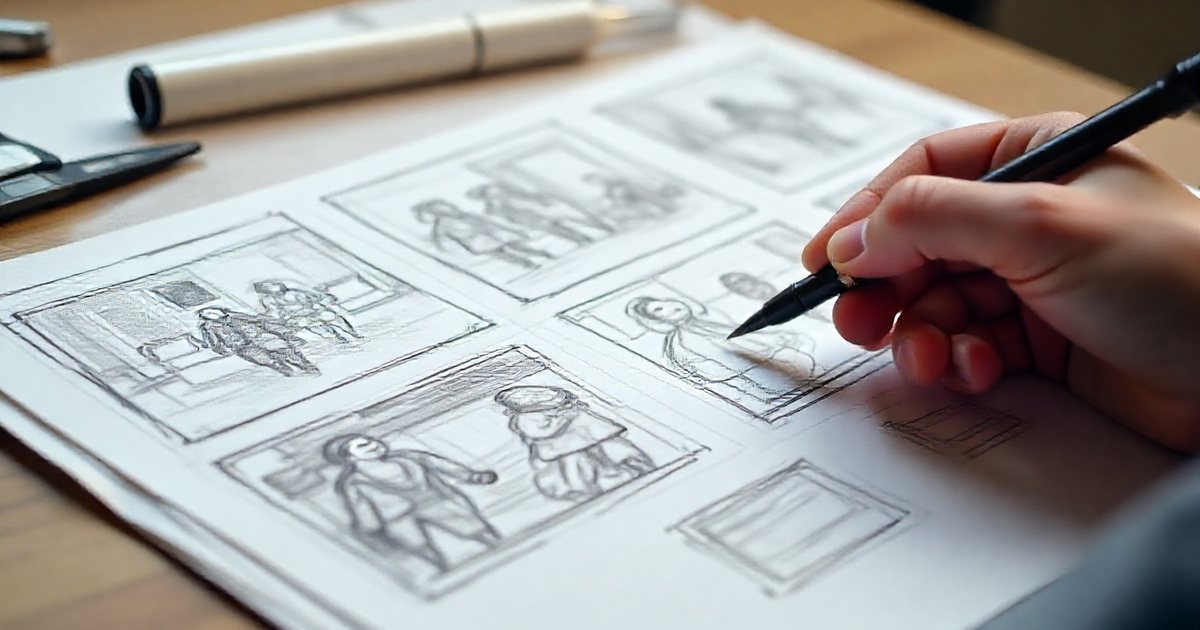
Rough sketches of each scene, with the matching voice-over line and notes on motion and transitions. What gets approved here is sequence and composition, not the final look, so do not judge the quality of the drawing. More detail in storyboarding: planning scenes before you animate.
4. Style frames
A few frames designed to final quality: colors, Arabic and English typography, illustration style and texture. They are approved before all the assets are produced, and sometimes two visual directions are offered to choose from. Approved frames become the reference for every scene and should follow your brand guidelines.
5. Animatic
Storyboard panels or style frames laid on a timeline with a scratch voice-over and temporary music. This is the first version you can actually watch. It is where pacing and total length are judged, and it is the cheapest place to change timing.
6. Voice-over
The final voice-over is recorded after the script and animatic are approved, and the animation is built on it. In bilingual projects each recording has its own timing, and some scene lengths may shift as a result. Prepare a pronunciation guide for names and terms before the session.
7. Animation
It starts with preparing assets in well-organized layered files, then building rigs if there are characters, then animating in three passes: blocking the main moves, refining them, then polishing. Low-resolution previews go out during the work so problems surface early. 3D projects add modeling, lighting and rendering, as explained in 2D vs 3D animation.
8. Sound
Final music, sound effects, the mix and loudness, then captions. This stage is covered in sound design for motion graphics.
9. Revisions
- Agree the number of review rounds per stage. Illustrative example: two rounds on the script, two on the storyboard and two on the animation.
- Collect feedback through one person who consolidates it, rather than sending conflicting opinions from several people.
- Tie comments to timecodes, for example: "0:12, the logo appears too late."
- Separate a correction (an error, or something that departs from what was approved) from a change (a new request after approval). A change widens the scope and may affect schedule and cost.
- Review on the device your audience will use, which is usually a phone.
10. Delivery
A typical delivery list:
- A high-quality master for the archive.
- Compressed versions for the web and each platform.
- Every required aspect ratio, with and without burned-in captions.
- Arabic and English versions, plus cut-downs (for example 6, 15 and 30 seconds).
- A cover image and caption files.
- Open project files if the agreement includes them, and license documents for music, fonts and stock assets.
Export settings are covered in video export settings.
What drives cost
Cost is not calculated by the second. It comes from many factors stacking up:
- Length: more seconds means more work, but not in a straight line. A minute that reuses scenes and assets can cost less than thirty seconds packed with unique elements.
- Style: simple vector shapes are generally faster than detailed illustration, and frame-by-frame drawing and photoreal 3D take the most effort.
- Complexity: the number of scenes, unique assets, transitions, camera moves and the level of detail.
- Characters: acting, lip sync, multiple angles and rig building.
- 3D work: modeling, materials, lighting and render time.
- Review rounds: extra rounds, and changes of direction after approval.
- Licensing: music, stock footage and illustrations, fonts (does the license allow use in video?), and voice-over usage rights by platform, duration and territory.
- Deadlines: a rush means a bigger team working in parallel or overtime, and less room to fix mistakes.
- Versions, languages and aspect ratios: each language means new voice-over, text and timing, and each aspect ratio means re-laying out the scene, not just cropping it.
| Factor | Keeps effort down | Pushes effort up |
|---|---|---|
| Style | Vector shapes and existing brand assets | Hand drawing or photoreal 3D |
| Characters | None, or simple ones | Acting, dialogue and lip sync |
| Music | Library track with a clear license | Original score or a famous song |
| Versions | One language, one ratio | Two languages, three ratios, cut-downs |
| Schedule | Enough time for each stage | A close deadline before a busy season |
| Decisions | One decision-maker, fixed rounds | Conflicting feedback and late changes of direction |
Two illustrative projects compared
Project A: a 30-second flat motion video for Instagram, built on existing brand icons, with a library music track, one language, one aspect ratio, two review rounds and a comfortable schedule.
Project B: a 60-second explainer with two talking characters and lip sync, Arabic and English versions with professional voice-over, an original score, three aspect ratios, and a launch date just two weeks before Ramadan.
Project B needs far more effort and time, and not only because it is twice as long. Characters, two languages, original music, several formats and a rush all land on the same job. Each of those factors can be negotiated separately if the budget is tight.
How to lower cost without losing quality
- Write a clear brief and name a single decision-maker.
- Lock the script before any visual work.
- Reuse your existing brand assets and illustration library.
- Use fewer characters, or simple characters without dialogue.
- Plan versions from the start: design scenes for 16:9 and 9:16 together, and keep text in editable layers so languages can be swapped easily.
- Use licensed library music where it is good enough.
- Start early before seasonal peaks, because enough time is cheaper than a rush.
- Consider a series built on one visual system, so every later episode benefits from what was built for the first.
Checklist before you start your project
- A written brief covering goal, audience, message, platforms, aspect ratios and languages.
- Brand assets ready: vector logo, licensed fonts and brand guidelines.
- The number of review rounds per stage agreed in writing.
- One decision-maker who consolidates feedback and approves each stage.
- A schedule that leaves review time before the launch date.
- A defined delivery list: formats, ratios, versions, captions and project files.
- Licenses settled for music, fonts, stock assets and the voice-over.