Web Design vs. Web Development: Who Does What?
Designers decide how a site looks and how visitors use it; developers make it actually work, fast and securely. A practical look at both roles and the handoff between them.
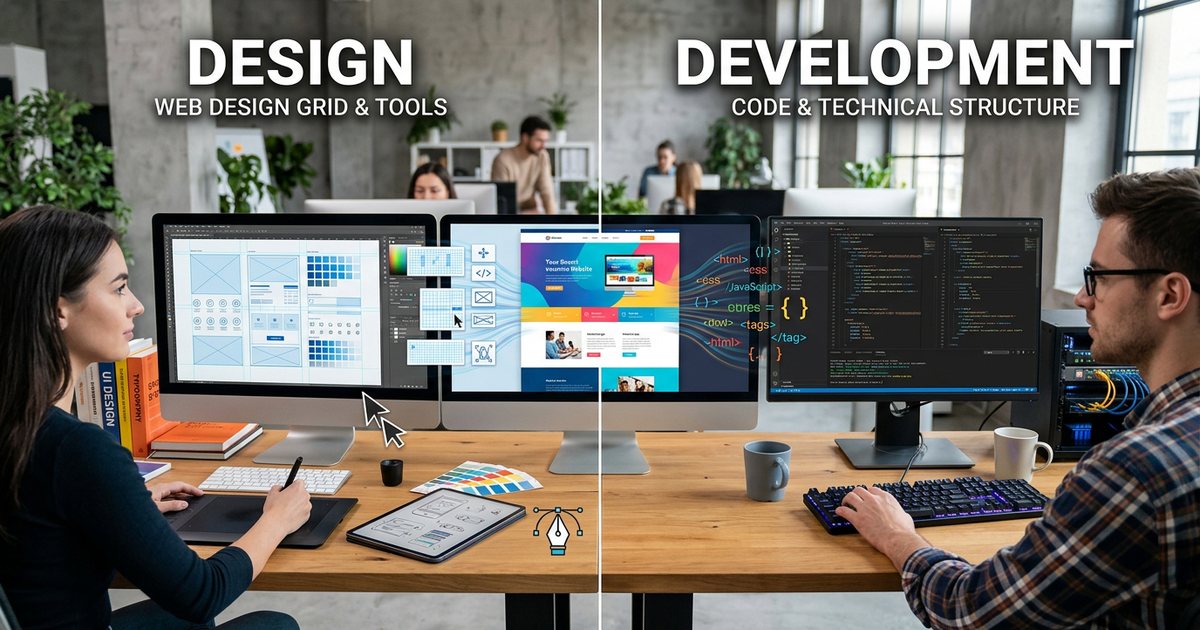
The difference between web design and web development is roughly the difference between an architect's drawings and the construction work. The designer decides how the site looks and how a visitor moves through it to reach their goal; the developer turns those decisions into code that runs in the browser and on the server, quickly and securely. The two roles overlap in many places, and one person may do both on a small project, but knowing where the line sits helps you write a clear brief, compare quotes fairly, and know who is responsible when something goes wrong. This article is part of building your business website, which covers the whole project from start to finish.
What is web design?
Web design is deciding how a site looks and how it is used, before any code is written. It has two connected layers:
- User experience (UX): understanding visitors and what they need, organizing and labeling information (information architecture), mapping navigation paths, and removing steps between the visitor and their goal, whether that's a quote request, a booking or a purchase.
- User interface (UI): the visual layer, meaning layout, color, type, buttons, icons and imagery, and how each element looks in each of its states.
The work usually runs through stages: understanding the project and its audience, a sitemap, wireframes that fix the order of sections, visual design, a clickable prototype to test navigation, and finally a design system that gathers components and styles. Figma is a common interface design tool, alongside image editors for photos and graphics. A designer doesn't need to write code, but understanding the medium (changing screen widths, the cost of heavy images, how fonts behave on screens) makes their designs buildable without painful compromises. The fundamentals are in UI and UX design fundamentals.
What a designer delivers
- A sitemap and the main user flows.
- Wireframes for the key pages.
- Final designs for every page template, at least at mobile and desktop sizes.
- A component library: buttons, fields, cards and menus in all their states.
- A short style guide: exact color values, type sizes and a spacing system.
- Exported assets such as icons and images, plus a prototype where needed.
What is web development?
Web development is building a site that actually works, starting from the approved design. It usually splits into three roles:
- Front-end development: turning the design into HTML, CSS and JavaScript that browsers display, so the page adapts to different screens, works with a keyboard and screen readers, and loads quickly. HTML, CSS and JavaScript basics is a good introduction to these languages.
- Back-end development: everything on the server, including the database, form handling, user accounts, the admin panel, payments and connections to other systems through APIs. Common languages include PHP, server-side JavaScript and Python, among others.
- Full-stack development: both sides at once, common in small teams and mid-sized projects.
On top of that sits operations: deploying to hosting, setting up the domain and SSL certificate, backups and updates. The developer may handle it or a specialist may, but someone must clearly own it.
What a developer delivers
- A working site on a staging environment, then on the live server after approval.
- Organized source code kept in a version control system such as Git.
- An admin panel for managing content, if it's in scope.
- Performance, security and backup settings.
- Brief documentation: how updates are deployed, where settings live, and which accounts the site depends on.
A quick comparison
| Criterion | Web design | Web development |
|---|---|---|
| The question it answers | How does the site look and get used? | How does the site work and stay fast and secure? |
| Core skills | User understanding, visual hierarchy, color and type | HTML, CSS, JavaScript, server languages, databases |
| Common tools | Figma, image editors | Code editor, browser developer tools, Git |
| Deliverables | Designs, prototypes, component library | Working site, code, admin panel |
| Measure of quality | Clear message, easy path to the goal | Speed, stability, security, maintainability |
| Typical mistake | A beautiful design that is hard to build or heavy to load | A build that ignores design details and states |
Where the two roles overlap
Many quality problems live neither in the design nor in the code, but in the gap between them. The main overlap points:
- Responsiveness: designers usually deliver mobile and desktop layouts, and the developer decides what happens at the widths in between. Unless that is agreed, the tablet view is left to chance. See responsive web design.
- Element states: a button has normal, hover, keyboard focus, pressed, disabled and loading states; a form has error and success messages; a list has an empty state. If the designer doesn't design them, the developer improvises.
- Performance: putting a full-screen video or a ten-image slider on the home page is a design decision, but the cost shows up in load time. Read website speed before approving heavy elements.
- Accessibility: contrast, button sizes and clear messages belong to design; semantic structure, keyboard navigation and image alt text belong to development. The result is shared, as the web accessibility guide explains.
- Arabic and right-to-left layouts: mirroring the layout, handling numbers and Latin names inside Arabic text, and choosing Arabic fonts that render clearly on screen all need input from both sides.
- Motion: transitions that look lovely in a prototype must be buildable without slowing the page or distracting the visitor, the subject of motion design in websites and apps.
The handoff between designer and developer
The handoff is the point where responsibility moves from the design file to the code, and missing details mean the developer will guess. Before development starts, make sure the design file includes:
- Every page template at a minimum of two sizes, ideally with a mid-size layout for tablets.
- Interactive states plus error, success, loading and empty-state messages.
- Colors, type and spacing organized as named styles rather than scattered values.
- Fonts licensed for web use, in suitable formats.
- Icons in SVG and images at a resolution suitable for high-density screens.
- Real content in both languages, including awkward cases: a long product name, a heading that wraps to two lines, an international phone number.
- Notes on motion and transitions, if any: duration and easing.
After the build, the designer reviews the staging site against the design, a step often called design QA. Differences in spacing, type and button sizes are easy to catch here and cheap to fix before launch.
Who do you need for your project?
It depends on the size and nature of the project:
- A landing page or small site on a website builder: a designer who knows the platform may be enough, because the platform handles hosting, security and updates.
- A company site on a content management system: a designer for the interface, plus a developer who builds a custom theme or adapts a ready-made one and tunes speed and security. The guide to content management systems explains when this route fits.
- A platform with custom features such as bookings, a client portal or an accounting integration: a UX designer, a front-end developer, a back-end developer, a tester and a project manager to coordinate them.
- Improving an existing site: distinguish a redesign (a new interface on the same system) from a rebuild (an entirely new system). A redesign is usually cheaper and less risky; a rebuild is necessary when the old system itself is the problem.
A freelancer who does both is a reasonable choice for small and mid-sized projects, provided their portfolio proves both sides. Ask for links to live sites rather than screenshots, open them on your phone, try their forms and check their speed. A pretty portfolio image tells you nothing about how the site works.
Questions to ask before you sign
- Who designs and who builds? Does the designer review the build before launch?
- Does the design include mobile layouts and element states, or only desktop versions of the main pages?
- Will you receive the source design files and the source code at handover?
- How many design revision rounds are included, and what counts as a revision versus a new request?
- Who handles hosting, updates and maintenance after launch, and at what cost?
To write a brief that answers many of these questions up front, see how to write a design brief.
If you're considering a career in either field
The design path starts with visual fundamentals such as hierarchy, color and typography, moves on to UX principles and interface tools, and ends in a portfolio that explains the reasoning behind decisions, not just the final screens. Graphic design: the complete beginner's guide is a good starting point. The development path starts with HTML, CSS and JavaScript, then a server language and a database, then one framework learned well, as set out in how to learn programming from scratch. People who understand the other side, such as a designer who knows some CSS or a developer with a good eye, remove a lot of friction from any team.
Practical checklist
- Design answers "how does it look and get used?"; development answers "how does it work and stay fast and secure?"
- Ask the designer for mobile layouts and element states, not just a desktop home page.
- Have the developer review the design before approval, and the designer review the build before launch.
- Get the source design files and code, and write that into the contract.
- Match the team to the project: a builder and a designer for a simple site, a full team for a platform with custom features.
- When comparing quotes, check that each covers design, development and operations; otherwise you're comparing different things.